
Why can't I set up the database for my trial?
After you've activated a new trial of NEM-Review, you should be asked to set up your database connection.
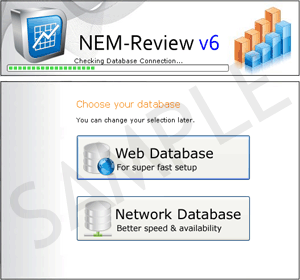
If NEM-Review crashes or shows and error instead of this screen, you may have previous NEM-Review settings on your computer that need to be deleted.
Follow these steps to delete your old settings:
- Stop NEM-Review if its running.
- Go to C:\Documents and Settings\All Users\Application Data\Global-Roam\NEM-Review\.
- Delete the file NEM Review V6.options.
- Start NEM-Review
- You should now see the Web database or Network database screen, and you can continue to set up your database.