How do I change the chart title?
Changing the chart title after you have created the graph:
- Click on the "Open Advanced Editor" button on the left hand side of the screen. This will open the Advanced Chart Editor
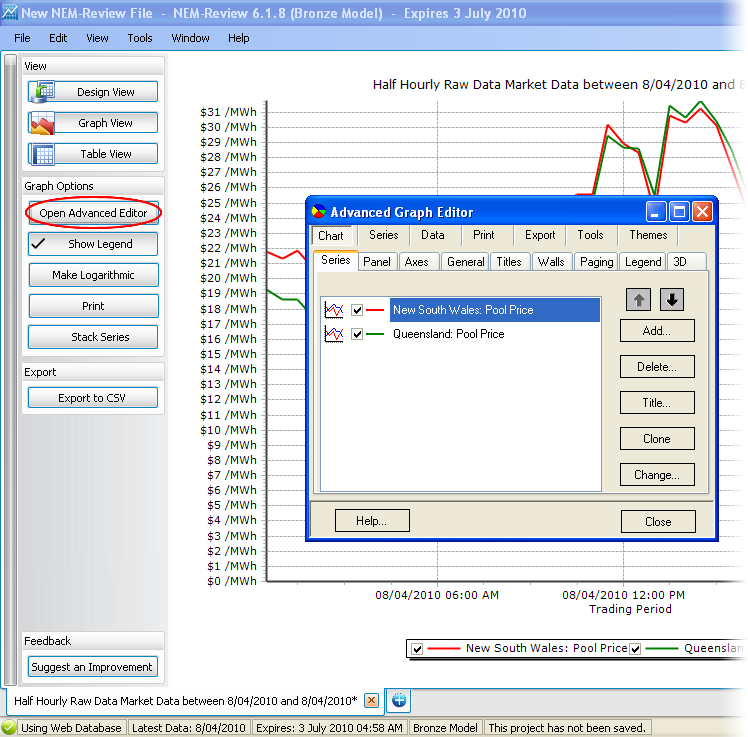
- Click on the "Titles" tab

- Change the name in the white space to the name you which your graph to have
Changing the chart title before you have created the graph:
- Right click anywhere on the tab and select "Change graph name..." (or go to Window->[Tab Name]->Change graph name...)
- Type the name you wish the graph to have into the form that appears. Click "OK"
- Finish any settings for the graph and click "Graph View"
